Copperline can be run as a native desktop application or in the browser at copperline.dev/try. This chapter covers system requirements, installation, building from source, and initial setup.
System requirements
Rust (source builds only): 1.95 or newer; CI uses the stable toolchain.
Supported operating systems: macOS 14.2 (Sonoma) or newer, Linux, and Windows. The macOS floor applies to source builds as well as the pre-built application: the audio backend uses Core Audio APIs introduced in 14.2.
Graphics backend: Metal on macOS, Direct3D 12 or Vulkan on Windows, and Vulkan on Linux (see Vulkan is required on Linux).
Linux build dependencies:
sudo dnf install alsa-lib-devel systemd-devel gccon Fedora, orsudo apt install libasound2-dev libudev-dev pkg-config gccon Debian/Ubuntu.Boot ROM: Copperline includes the open-source AROS Kickstart replacement and boots it by default. It also runs real Kickstart ROMs (1.x through 3.2, plus the CDTV and CD32 extended ROMs) and DiagROM. Use a single-file 512 KiB image or a 256 KiB Kickstart 1.x image; Copperline mirrors the latter across its 512 KiB ROM window. See ROM formats.
Installing on macOS (Homebrew)
The repository doubles as a Homebrew tap:
brew tap copperlinehq/copperline https://github.com/CopperlineHQ/Copperline
brew install copperline
To build directly from the latest development commit:
brew install --HEAD copperlinePre-built macOS application bundles (Copperline-X.Y.Z-macos-universal.dmg) are
also available on the releases page.
Mount the disk image and copy Copperline.app to /Applications. If macOS
quarantine blocks the first launch, right-click the app and choose Open, or run:
xattr -dr com.apple.quarantine /Applications/Copperline.appInstalling on Linux
AppImage
Standalone AppImage binaries are provided on the releases page:
chmod +x Copperline-*.AppImage
./Copperline-*.AppImage
Flatpak (build it yourself)
Copperline is not published on Flathub, and releases do not include a
Flatpak bundle. The repository’s packaging/flatpak/ directory holds the
Flatpak manifest, which you can build into a sandboxed package that brings its
own runtime dependencies and works across distributions.
The build needs flatpak, curl, and python3 with its venv module. From
the top of a clean checkout (check out a release tag for a released version),
run:
flatpak remote-add --if-not-exists --user flathub https://dl.flathub.org/repo/flathub.flatpakrepo
flatpak install --user flathub org.flatpak.Builder
./packaging/flatpak/generate-cargo-sources.sh
flatpak run org.flatpak.Builder --force-clean --user --install \
    --install-deps-from=flathub --repo=repo builddir \
    packaging/flatpak/dev.copperline.Copperline.yaml
flatpak run dev.copperline.Copperline
The script writes the crate list that lets the build run offline, and
--install-deps-from=flathub fetches the Freedesktop runtime, SDK and Rust
extension the manifest names. The manifest copies the whole checkout into the
build, including any stray ROM or disk images in the repository root, which is
why a clean checkout matters.
packaging/flatpak/README.md
covers linting and the host-side helper for bridged Ethernet.
Vulkan is required on Linux
On Linux, presentation uses the Vulkan backend via wgpu. If no Vulkan adapter
is found, the application exits at launch.
Modern GPUs generally provide hardware Vulkan support through Mesa drivers. For virtual machines or older hardware, install the software Vulkan driver (lavapipe):
Arch Linux:
sudo pacman -S vulkan-swrastDebian / Ubuntu:
sudo apt install mesa-vulkan-driversFedora:
sudo dnf install mesa-vulkan-drivers
A self-built Flatpak needs no host package: its Freedesktop runtime supplies Mesa, including lavapipe.
Installing on Windows
Download Copperline-X.Y.Z-win-x64.zip or Copperline-X.Y.Z-win-arm64.zip
from the releases page,
matching your Windows architecture. Extract the whole archive and run
copperline.exe; keep the bundled ROMs and other assets alongside it.
The console window
copperline.exe is a console program. Run from a command prompt, it behaves
like any other command-line tool: the shell waits for it, and --help, the
log and the output of every headless flag go to that terminal.
Started from Explorer or the Start menu, it has no prompt to write to, so Copperline closes the console window Windows opens for it and leaves only the emulator window. The console may still flash briefly, because Windows shows it before Copperline starts running.
Command-line tools
Every package also carries two companion programs: copperline-ctl, the
control protocol client whose --mcp and --dap
modes serve coding agents and the VS Code extension,
and copperline-import-uae, the WinUAE/Amiberry/FS-UAE config
converter. Where they land depends on the package:
| Package | Location |
|---|---|
| Homebrew | On PATH, next to copperline. |
| macOS dmg | Inside the bundle, Copperline.app/Contents/MacOS/. Add that directory to PATH or name the files in the VS Code settings. |
| Windows zip | Next to copperline.exe in the extracted folder. Add the folder to PATH or name the .exe files in the VS Code settings. |
| AppImage | The separate Copperline-X.Y.Z-<arch>-tools.tar.gz release asset. Unpack it anywhere; set COPPERLINE_BIN to the AppImage path so copperline-ctl can launch the emulator. |
| Self-built Flatpak | In the sandbox: flatpak run --command=copperline-ctl dev.copperline.Copperline ... (and likewise copperline-import-uae). |
copperline-ctl launches the copperline beside it when one is there; the
DAP chapter lists the full lookup order.
Building from source
cargo build --releaseCargo features
A default build includes everything below except the last three features.
To leave something out, build with --no-default-features and list the
features to keep; the FluxBridge, MT-32, and
Coppersynth chapters show complete examples.
| Feature | Default | What it adds |
|---|---|---|
frontend | yes | The desktop window, launcher, inspectors, host audio, gamepads, and file dialogs. The copperline binary requires it. |
midi | yes | Host MIDI for [serial] mode = "midi" (CoreMIDI, the ALSA sequencer, or WinMM). |
mt32 | yes | The built-in MT-32. |
coppersynth | yes | The built-in Coppersynth General MIDI synthesizer. |
host-serial | yes | A real host serial port on Paula’s UART ([serial] mode = "device"). |
fluxbridge | yes | Physical floppy drives through a Greaseweazle. |
net-nat | yes | User-mode NAT networking for the emulated network boards. |
net-bridge | yes | Bridged networking to a host Ethernet adapter, and the copperline-net-helper binary. |
netplay-internet | yes | Internet netplay with NAT traversal and relay fallback. |
wasm-boards | yes | WebAssembly Zorro board plugins. |
cpu-jit | yes | Native code generation for [cpu] jit. |
control | yes | The control protocol server (--control, --control-gui). |
ctl-bin | yes | The copperline-ctl binary, with its MCP and DAP modes. |
gdb | yes | The GDB remote stub. |
dap | yes | The Debug Adapter Protocol adapter and the guest debug-information reader. |
import-uae-bin | yes | The copperline-import-uae converter. |
game-library | yes | The launcher’s WHDLoad Library page and its OpenRetro sync. |
update-check | yes | The About panel’s Check for updates button, which asks GitHub for the latest release only when pressed. |
mhi | yes | The MHI MPEG audio decoder board. |
cd-mp3 | yes | MP3 audio tracks in CD cue sheets. |
cd32-fmv | yes | The CD32 Full Motion Video module. |
profile-stats | yes | Detailed host-cost counters for native diagnostics. |
bench-bin | no | The headless copperline-bench benchmark binary (see Browser build and WebAssembly integration). |
display-plan-trace | no | Display-plan tracing (COPPERLINE_TRACE_DISPLAY_PLAN) in release builds; debug and test builds always have it. |
internal-diagnostics | no | Environment overrides that deliberately change timing (COPPERLINE_NO_BUS_ARB and similar), for local investigation only. |
Tests
To run the test suite:
cargo test                          # Unit tests (no external assets required)
cargo test --release -- --ignored   # Integration tests (requires local test media)
The ignored integration tests in tests/ need Kickstart ROMs and disk images
that are not part of the repository. They look for them in the directory
named by COPPERLINE_TEST_ASSETS, then in test-assets/ at the repository
root, and pass without running when their assets are absent.
tests/README.md
lists what each test needs.
For the optimized native CI suite, including the deterministic golden renders,
use cargo test --profile ci --locked. The ci profile inherits release
settings but disables LTO and uses parallel code generation to compile test
executables faster. Its binaries are in target/ci/; normal builds and
performance benchmarks continue to use --release. Add --timings to write
a build report to target/cargo-timings/cargo-timing.html.
The golden renders live in timing-test/golden/. A hardware-model change
that alters them on purpose is re-blessed with
COPPERLINE_BLESS_GOLDEN=1 cargo test --release --test probe_golden, and the
render differences are reviewed as part of the change.
First boot
Run Copperline from the terminal:
./target/release/copperlineWhen started with no arguments and no copperline.toml in the current directory,
Copperline displays the interactive launcher screen where you can configure
machine models, memory, storage, and peripherals. Any machine, media, or
headless option skips the launcher; --factory on its own does not.
With no saved default, the launcher starts with an Amiga 500 (Rev 6A): ECS
8372A Agnus, OCS 8362 Denise, 512 KiB chip RAM, 512 KiB slow RAM, and the
bundled AROS Kickstart replacement. Save default writes your settings to
default.toml in the configurations folder (see
Where files go) and every later run that names no
configuration loads it. If that saved default has Run on startup set
([emulation] auto_launch), the launcher starts the machine straight away.
--factory ignores the saved default, and also leaves Coppersynth’s and the
modem’s stored settings untouched; an explicit --config or a local
copperline.toml still takes precedence.
To boot directly into a specific Kickstart ROM or configuration file:
./target/release/copperline path/to/kickstart.rom
./target/release/copperline --config path/to/copperline.toml
You can also specify machine parameters via command-line flags:
./target/release/copperline --model A1200 --fast 8M KICK31.ROMSee Command-line overrides for the full list of CLI flags.
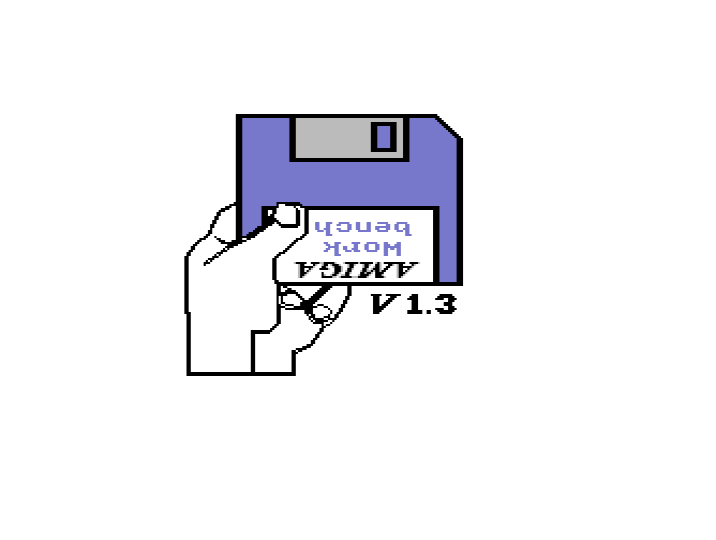
Kickstart 1.3 waiting for a boot floppy.
To mount a floppy disk image on boot:
rom = "KICK13.ROM"

[floppy.df0]
path = "Game.adf"
Supported floppy formats include ADF, ADZ (gzip-compressed ADF), single-file ZIP, DMS, extended ADF, IPF, and SCP. In interactive sessions, disk images can also be inserted via drag-and-drop into the emulator window.
Example configuration
A fully commented example configuration is available in copperline.example.toml
in the root of the repository. Copy it to copperline.toml or pass it via --config:
./target/release/copperline --config copperline.example.tomlLogging and crash reports
The log goes to stderr at the info level. Set RUST_LOG=debug or
RUST_LOG=trace in the environment for more detail.
If Copperline panics, it writes the panic message and a backtrace to
copperline-crash.txt: next to the executable when that folder is writable,
otherwise in the current working directory, and failing that in the system
temporary directory. The path it chose is printed to stderr. Please include
this file when reporting bugs.