Cycle-driven · OCS / ECS / AGA · written in Rust

Copperline

Cycle-driven means the whole machine advances on one colour-clock timeline - CPU, DMA, Copper, blitter, all of it. Built around that core: a debugger that steps backwards, a chip-bus frame analyzer, and byte-identical record and replay.

0.11.0 is out · read what's new

  • 68000 - 68060
  • OCS
  • ECS
  • AGA
  • A1000 - A1200
  • CDTV
  • CD32
  • HAM8

// zero to running

Up and running in about a minute

  1. 1

    Grab a build

    A macOS .dmg, a Linux AppImage or a Windows zip from the latest release - or install with Homebrew.

  2. 2

    Open it

    Copperline boots the bundled open-source AROS ROM straight away. No Kickstart hunt before you see a working machine.

  3. 3

    Insert a disk

    Load an ADF from the status bar's disk controls, or skip the window entirely: copperline game.adf.

Have real Kickstart ROMs and disk images? They work too - point the launcher at them. Copperline just doesn't make you find them before you can try it.


// features

What's in the box

The 68000, Agnus, Denise, Paula, the CIAs and the floppy, all scheduled against a single colour-clock timeline. 68000 cycle counts are validated against the TomHarte SingleStepTests, and chip-bus timing against a test disk cross-checked on real hardware and the vAmigaTS suite.

timing core

Cycle-driven chip bus

The chip bus is arbitrated per colour clock between refresh, display, sprite, disk and audio DMA, the Copper, the blitter and the CPU - with hardware per-word bus sequences and modelled 68000 interrupt-recognition latency.

chipsets

OCS, ECS & AGA

Independent Agnus / Denise revisions and machine profiles spanning the A1000, A500 / A500+ and A1200, plus CDTV and CD32. Boots the bundled AROS ROM out of the box - no Kickstart needed - as well as Kickstart 1.3 / 2.05 / 3.1 and DiagROM, and runs the timing-sensitive regression set at real speed.

cpu

68000 through 68060

Selectable 68000 / 68EC020 / 68020 / 68030 / 68040 / 68060 and clock, accurate 68000 cycle counts, the 68030 / 68040 / 68060 MMUs, on-chip caches (on by default where the silicon had them), 68060 superscalar dual-issue with its branch cache, and an 80-bit 68881 / 68882 FPU with pure-Rust softfloat transcendentals and packed-decimal reals.

peripherals

Input & audio

A bit-timed keyboard (6500/1 MCU), mouse, USB gamepad (pure-Rust gilrs, no SDL2), and 4-channel Paula audio with the LED filter, selectable host output device and mono / stereo shaping - plus Paula's serial port bridged to host MIDI or TCP.

storage

Disks, drives & expansion

Up to four floppies (ADF / ADZ / DMS / SCP, plain or zipped) with multi-disk swap playlists, Gayle IDE and A2091 / A4091 SCSI boards carrying up to seven drives, CDTV and CD32 CD-ROM, Zorro II / III autoconfig, and host directories mounted as live AmigaDOS volumes - bootable ones included.

expansion

Pluggable Zorro boards

Functional Zorro boards sit behind a clean device boundary, so external WASM plugin boards can add deterministic read / write / tick / interrupt behaviour, with optional DMA, file resources and networking. A built-in Commodore A2065 Ethernet board (Am7990 LANCE) ships with a loopback backend.

graphics

The full AGA path

8 bitplanes, a 256-entry 25-bit palette, HAM8, FMODE wide fetch, dual playfield, EHB, sprites and hardware collisions - replayed by beam position so the renderer never races the chipset.

presentation

CRT presentation

Optional phosphor persistence, a motion-adaptive deinterlacer for laced screens, and tv / full overscan. The woven field is presented at a TV-like 4:3, the way the hardware drove a real monitor.

tooling

Deterministic by design

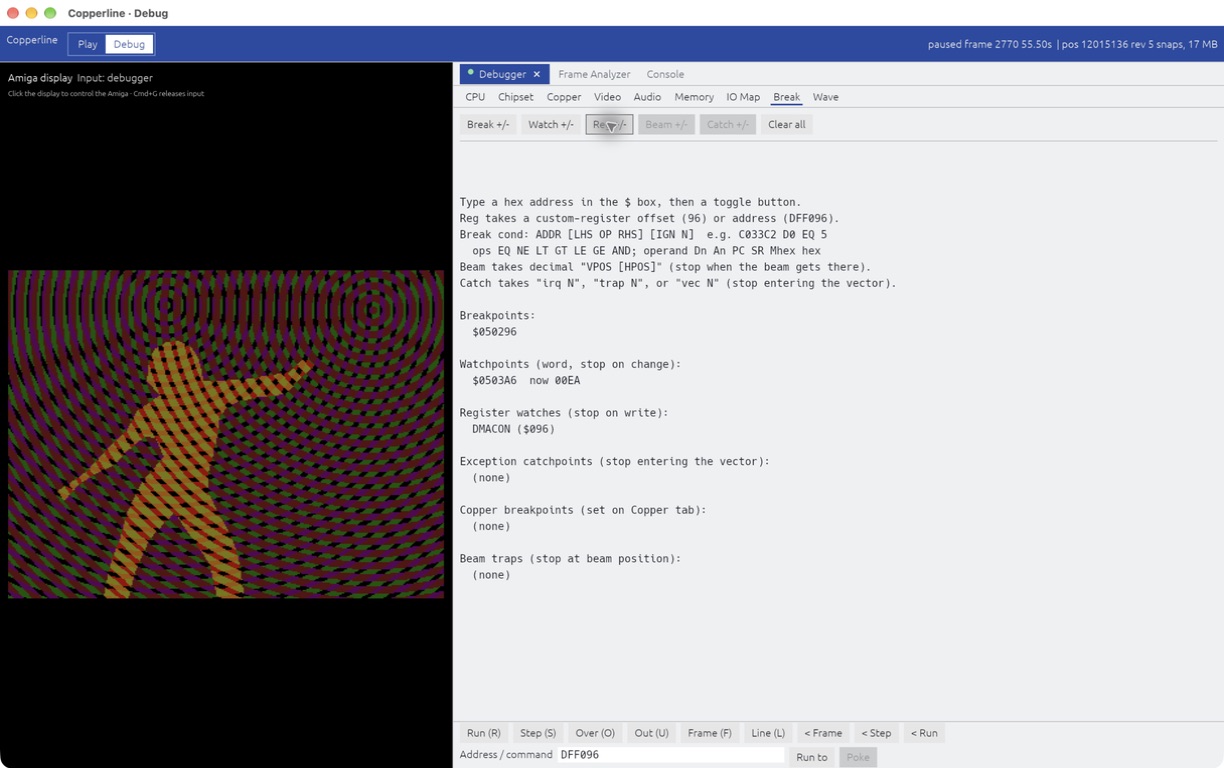
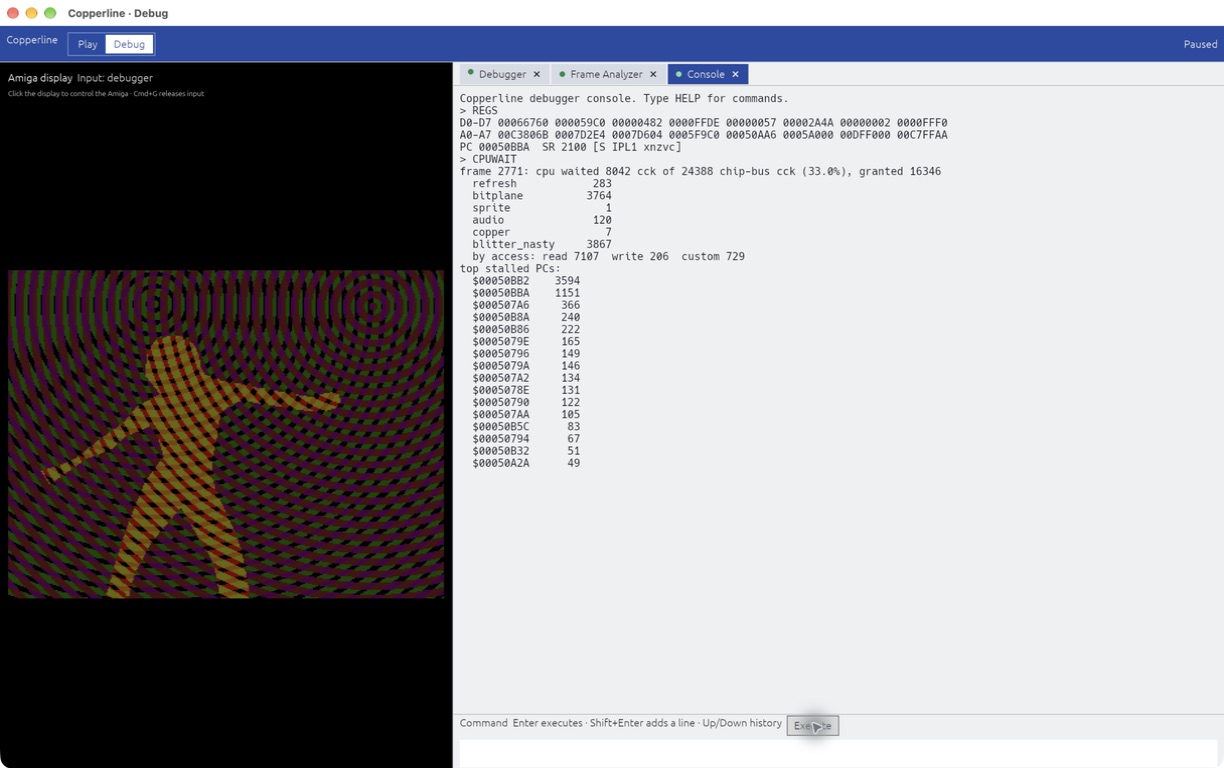
An in-window debugger that steps backwards, a GDB-flavoured console, a chip-bus frame analyzer, deterministic save states, input recording / replay, and headless screenshot & frame-dump capture. Every replay is byte-identical.


// screenshots

See it run

Real captures from the emulator window - chrome, status bar and all. Save a still to PNG, or record the screen to a lossless AVI - both locked to the emulated clock, so even a warp-speed capture plays back at the right speed.

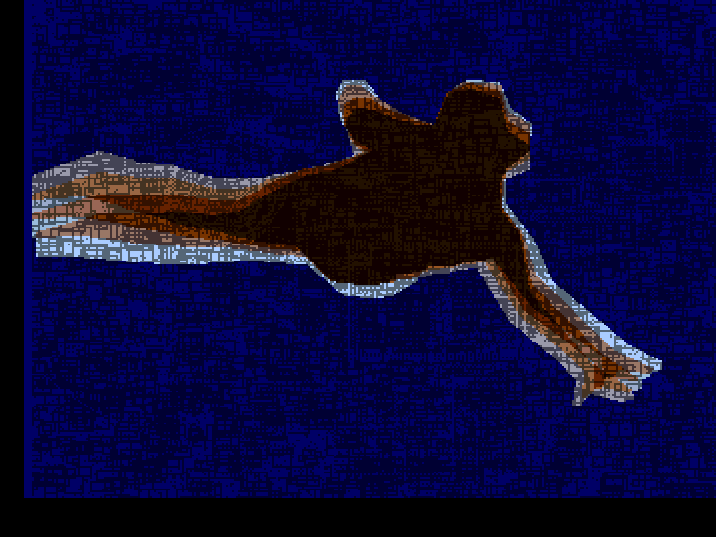
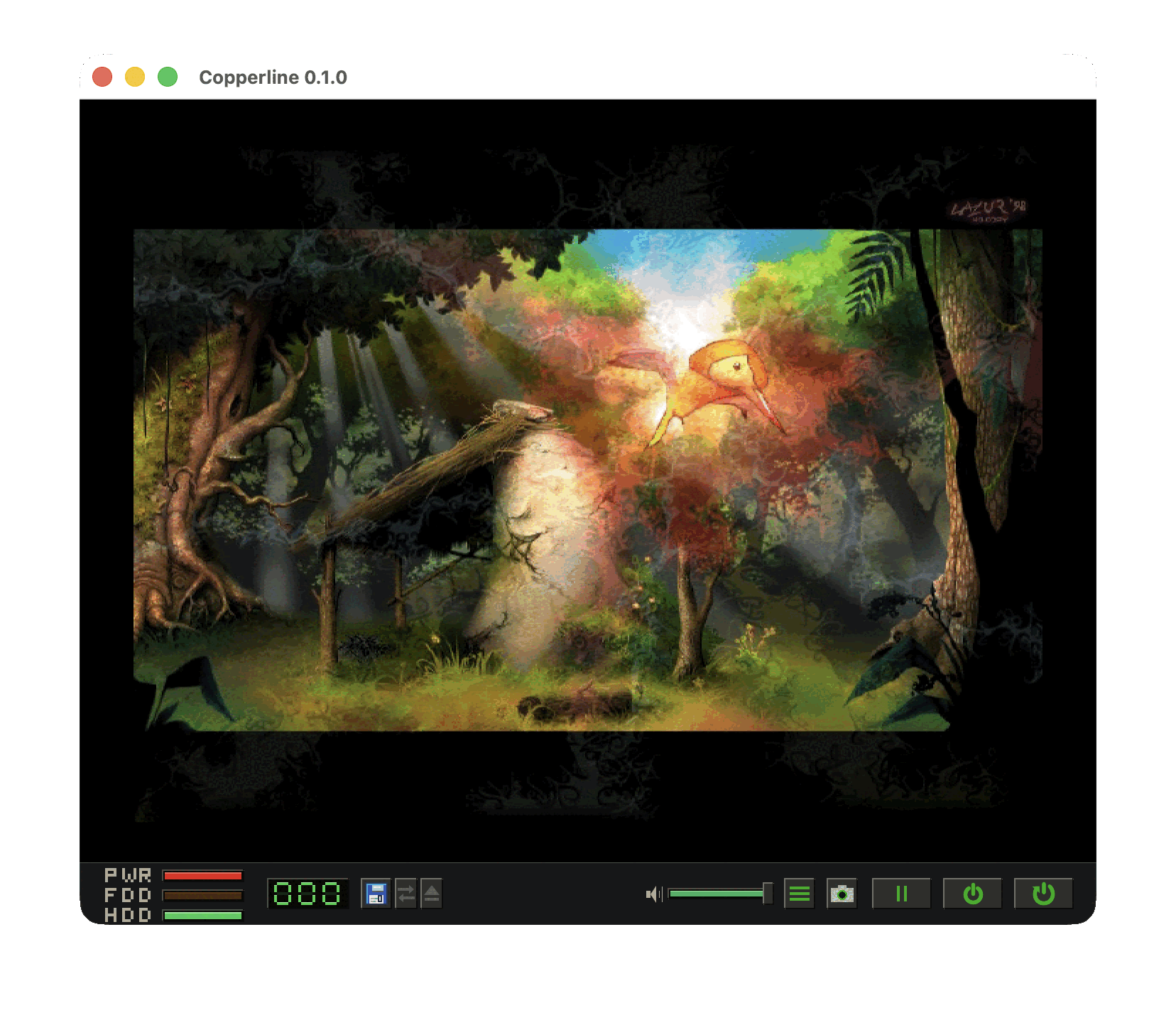
Copperline window showing a 256-colour AGA HAM8 image
AGA HAM8. A 262 144-colour image decoded through the full Alice / Lisa display path.
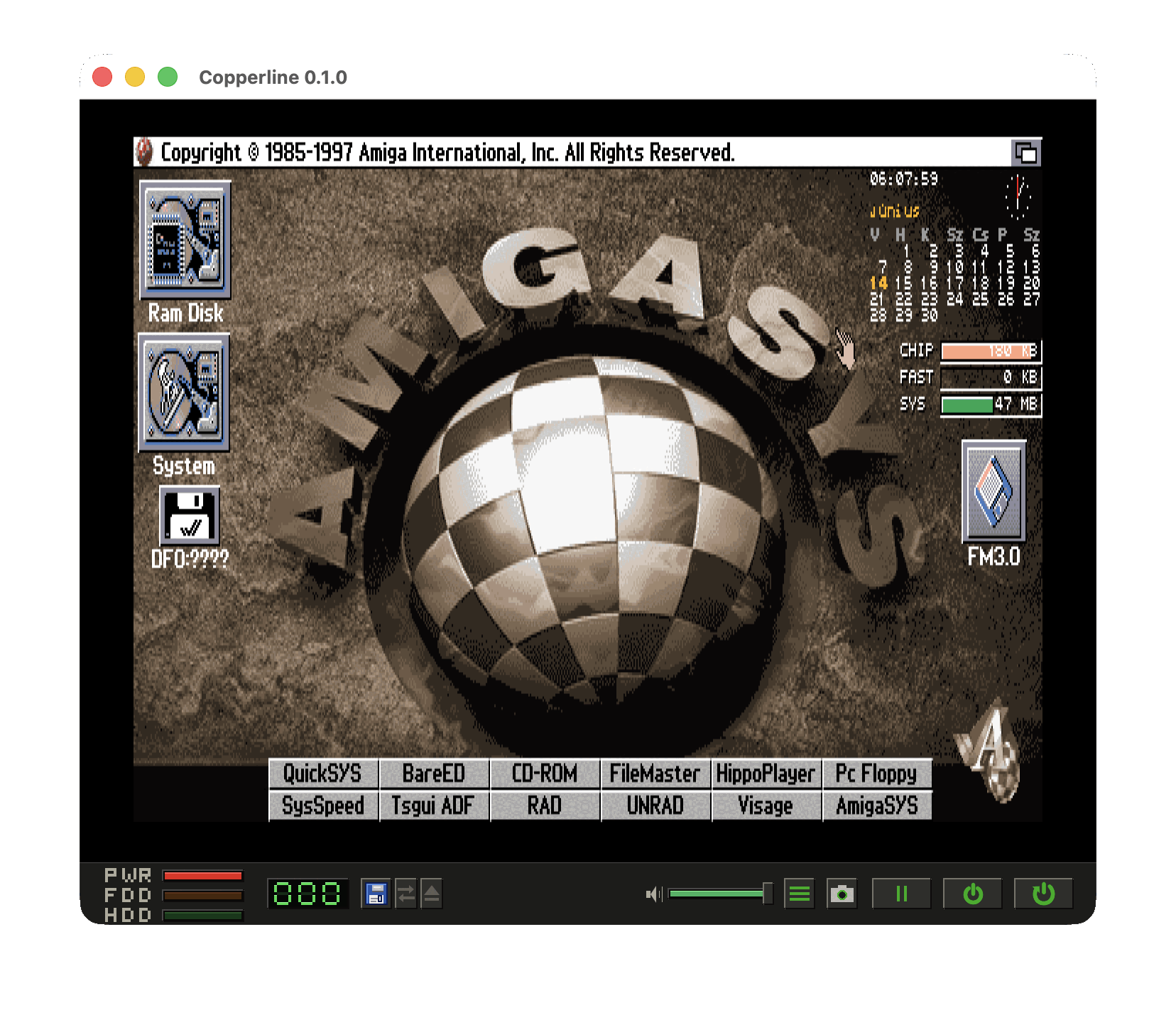
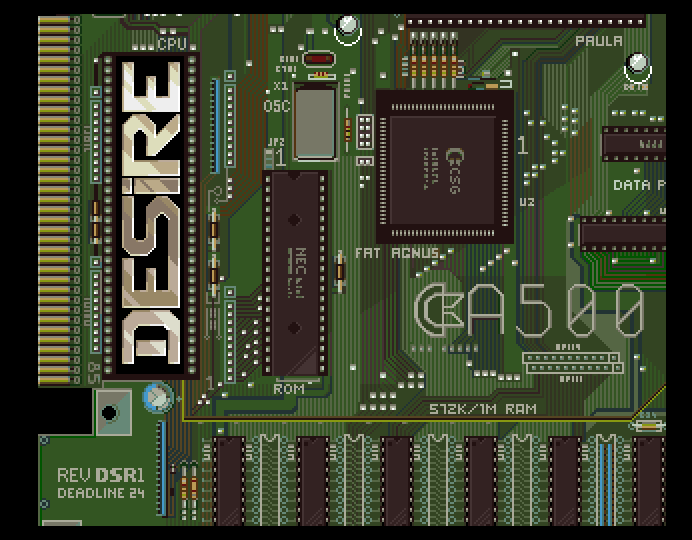
Workbench 3.1 desktop running in Copperline
Workbench 3.1. Booted from an IDE hard disk on an A1200 profile.
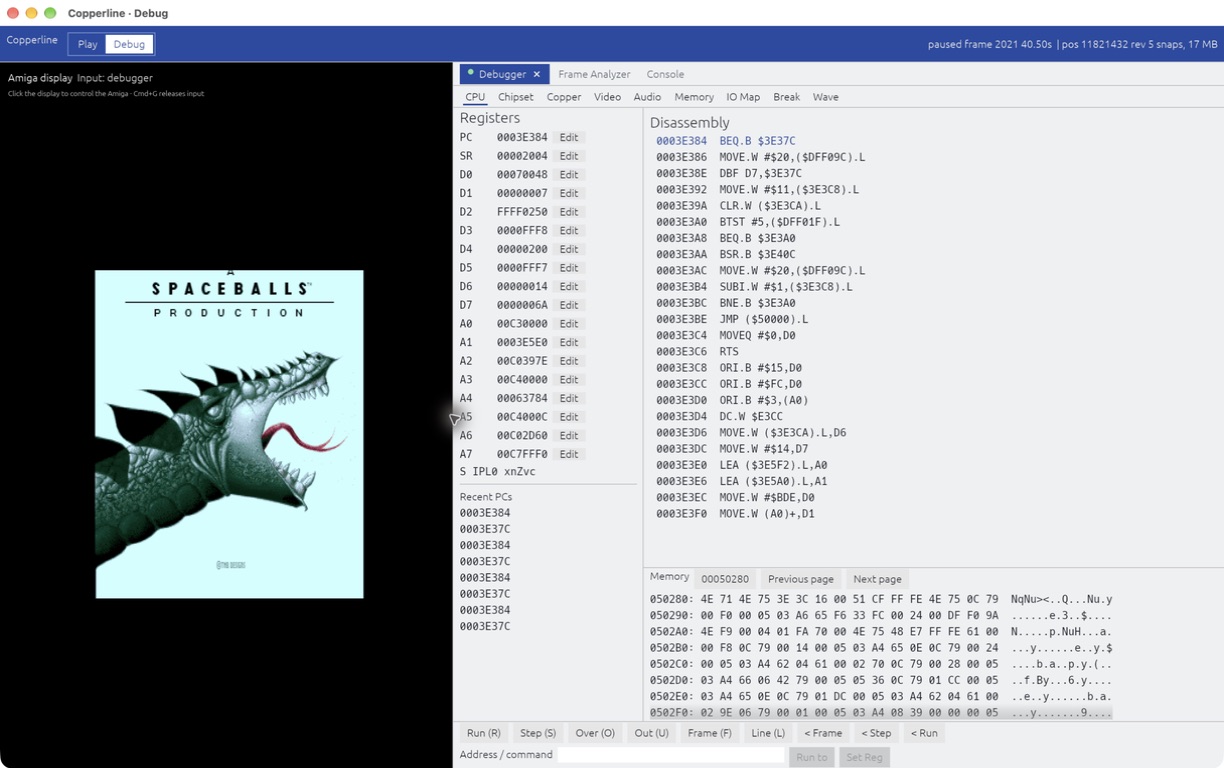
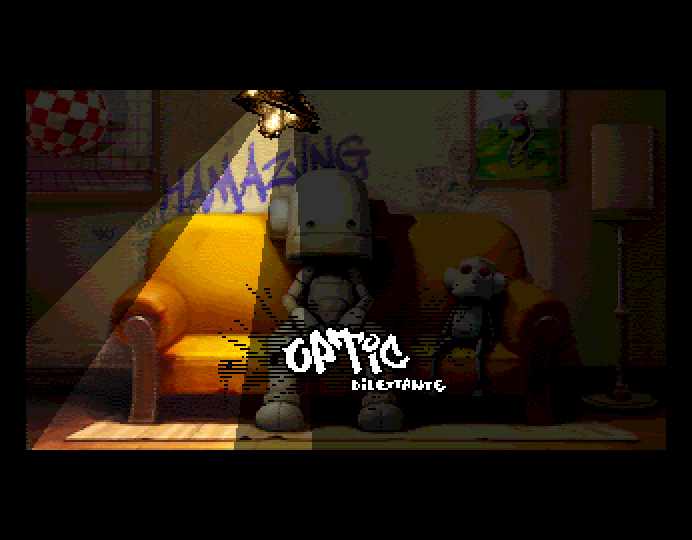
Spaceballs State of the Art demo running in Copperline
State of the Art. Spaceballs' OCS demo - timing-sensitive, at real speed.
// status bar

Hardware at a glance

The bottom bar mirrors the front panel: power, floppy and hard-disk activity LEDs, a live floppy track counter, disk insert / swap / eject controls, an audio volume slider, an input-mode toggle between keyboard and gamepad, and shortcuts for the menu, screenshots, pause and power.

Close-up of the Copperline status bar showing power, floppy and hard-disk LEDs, track counter, disk controls, volume slider and power buttons

// launcher

Set up the machine, no config file

Launch Copperline with no options and it opens a full machine-configuration launcher - also reachable from the menu. Pick a base profile, tweak it, then Run - no hand-written TOML required to get going.

The Copperline machine-configuration launcher on the Memory tab of an A1200 profile, showing machine profile buttons across the top, a category sidebar, and Chip / Fast / Slow RAM controls
Machine Configuration. Profile tabs across the top, categories down the side - here the A1200's chip, fast and slow RAM.
machine configuration

Every setting on one screen

Edit the machine profile, chipset, CPU, memory, ROM, floppy, hard disk, CD, Zorro boards, audio / video and emulation behaviour through a graphical front-end - including settings declared by external plugin boards.

It reads and writes the same TOML schema as a hand-edited config, so Load, Save, Run and Defaults round-trip cleanly with the config files you already keep.


// debugger

A debugger that runs time backwards

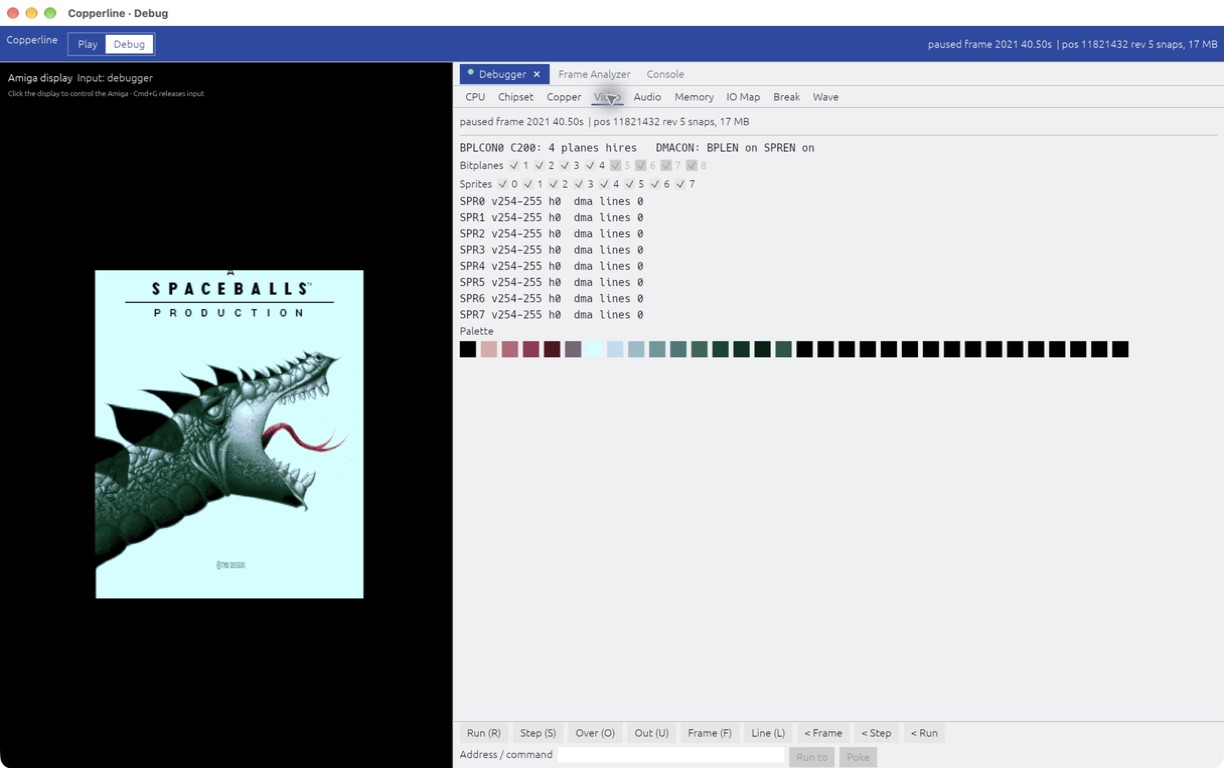
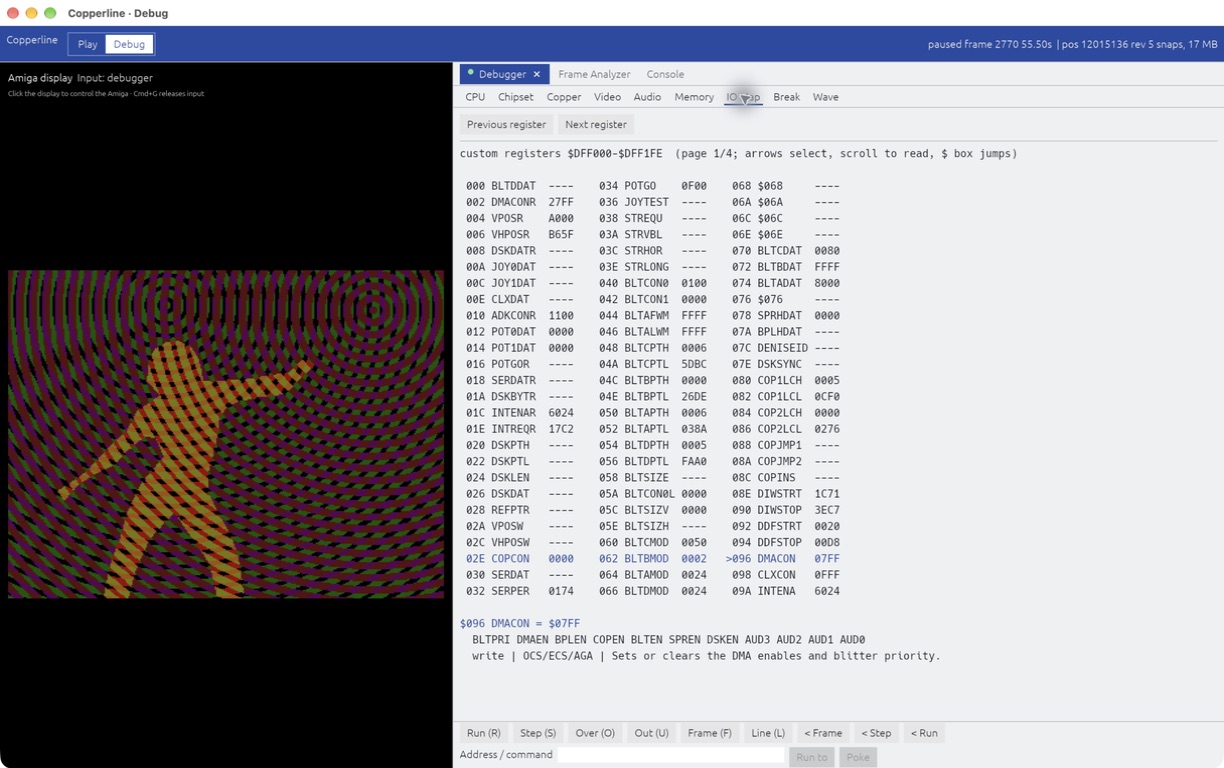
Press Cmd+B to pause and open the in-window debugger: eight tabs covering the CPU, the chipset, the Copper, the display pipeline, Paula audio, memory, the IO map and breakpoints - with a GDB-flavoured console (Cmd+K) in its own window alongside. Then step the machine backwards.

The Copperline debugger window on the CPU tab, showing the register file, a live 68000 disassembly, and the transport controls including the reverse Frame, Step and Run buttons
The CPU tab. Register file, live disassembly that follows the PC, and the transport row - with reverse controls on the right.
reverse debugging

Step back without a record layer

The recurring hard question in a corruption bug is "the value at address X is wrong by the time I look - which instruction wrote it?". Stop at the symptom, then walk backwards to the culprit.

Because the core is deterministic and already snapshots the whole machine, going back in time needs no special record layer the way a tool like rr does. The emulator keeps a ring of in-memory snapshots; to reach an earlier point it restores the nearest one and replays forward - byte-identical.

  • < Step one instruction backward
  • < Frame to the previous video frame
  • < Run back to the previous breakpoint

There is also a headless "last writer" reverse watchpoint for automated root-cause hunts. See the reverse-debugging guide.

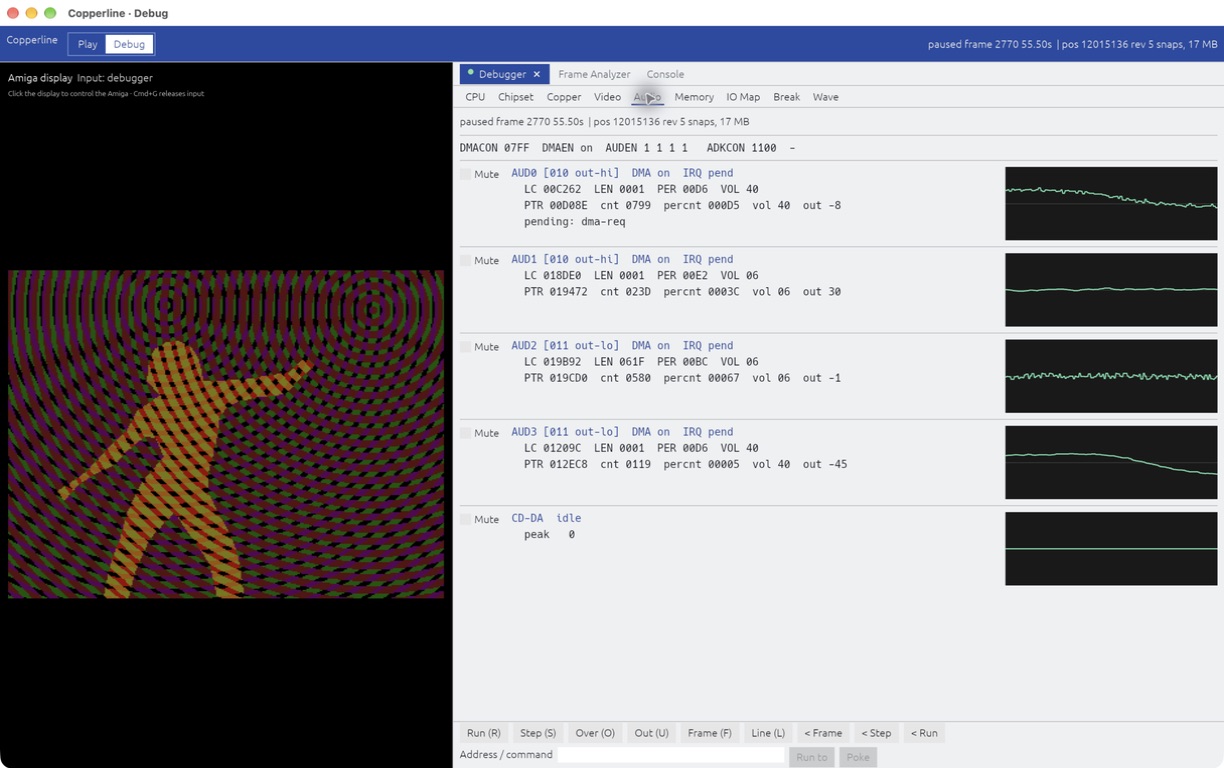
The Copperline debugger on the Audio tab, showing Paula's four audio channels with decoded DMA state, latches and pointers, per-channel mute buttons and oscilloscopes, and a CD-DA row
The Audio tab. Paula's four channels with their DMA state machines decoded, per-channel mutes and live scopes - and a fifth row for CD-DA.

// frame analyzer

Watch the chip bus, cycle by cycle

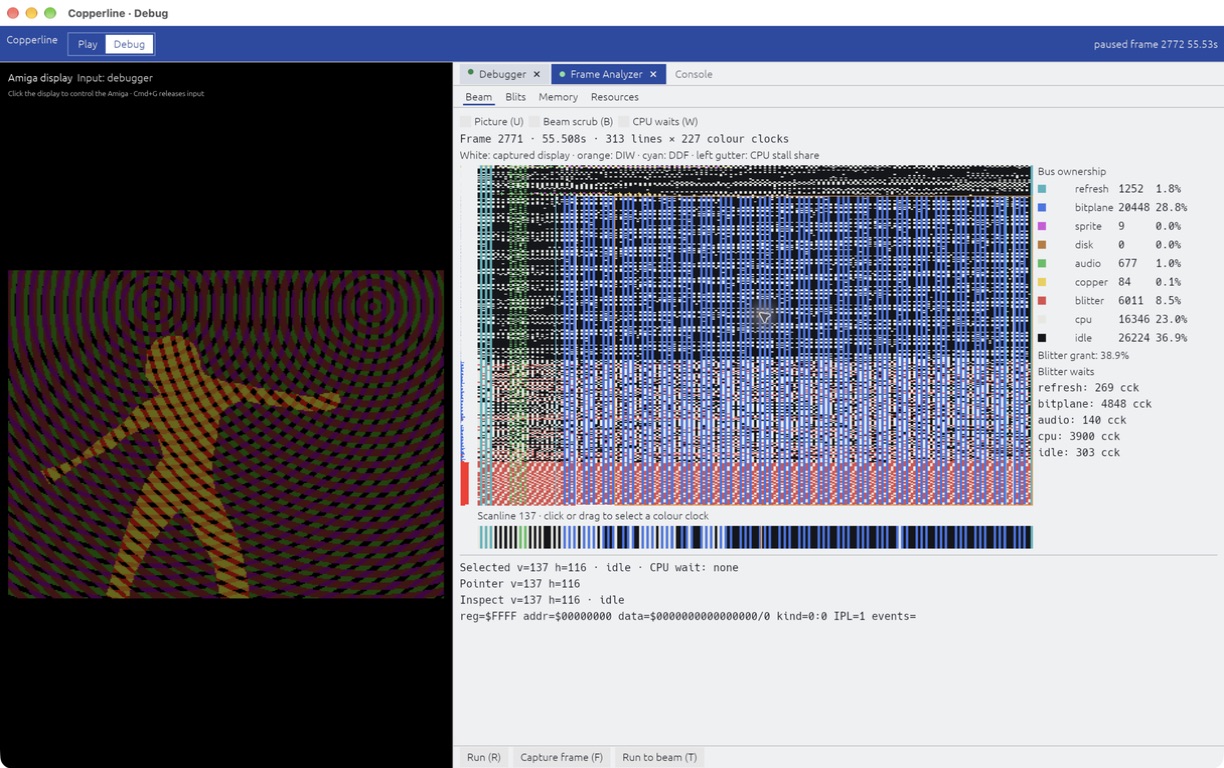
Pause the machine and open the chip-bus frame analyzer. It paints one captured frame as the full raster - x is hpos in colour clocks, y is the beam line - with every cycle coloured by the bus master that owned it.

The Copperline frame analyzer window: a full-raster map of one frame with every colour clock coloured by its chip-bus owner, a per-owner cycle tally with percentages, blitter grant and wait figures, and a selected-scanline strip
One captured frame. 313 beam lines by 227 colour clocks, every cycle coloured by the bus master that owned it - here bitplane and blitter DMA dominate a busy effect.
chip-bus arbitration

Every colour clock has an owner

Refresh, bitplane, sprite, disk and audio DMA, the Copper, the blitter and the CPU all compete for one chip bus. The analyzer tallies who won every slot across the frame, so a dropped line or a blit that starves the CPU is visible directly.

It breaks out blitter grant against wait - the cycles the blitter held the bus versus the cycles it stalled behind higher-priority DMA - and you can click any cycle to read back its line, hpos and owner.

// chip-bus owners, one frame

  • bitplane30.4%
  • blitter27.5%
  • cpu21.0%
  • idle12.8%
  • copper3.2%
  • refresh1.8%
  • disk1.3%
  • sprite1.2%
  • audio0.8%

// headless & deterministic

Scriptable and reproducible

The core is deterministic and independent of the host: a windowless, unthrottled run produces the same emulated result as a real-time windowed one, given the same inputs and media. That determinism is what makes captures reproducible, and it is also what lets the debugger step backwards.

  • Drive it from the command line. Override the machine with --model, --cpu, --chip and friends - no config file required.
  • Script input and capture. Press keys, click, move the mouse and waggle the joystick on an emulated-time schedule, then grab a PNG, a frame dump, a save state, or a 44.1 kHz WAV.
  • Record and replay. Capture a whole session to a .clscript and replay it byte-for-byte - a bug report that always reproduces.
  • Restore without the ROM. --load-state brings a machine snapshot back even when the original Kickstart isn't on hand - the save state carries the whole machine.
  • Built for agents. Copperline began as an emulator you could hand to an AI agent: feed it a timestamp or a snapshot and it investigates from screenshots and debug output, automatically.
scripted capture
# boot a disk, tap space, wait, grab a screenshot - no window
copperline game.adf --noaudio \
  --press-after 4 SPACE \
  --screenshot-after 12 shot.png

# record a whole session, then replay it byte-identically
copperline game.adf --record-input run.clscript
copperline game.adf --script run.clscript --audio-wav run.wav

// what gets emulated

The machine, end to end

From the 68000 prefetch queue to Paula's audio mixer - the timing model is documented next to the code and backed by named regression tests.

A vendored pure-Rust m68k core drives the CPU, with 68000 cycle counts validated against the TomHarte SingleStepTests to within about a percent. A bootable timing-test disk cross-checks chip-bus timing against real hardware and other emulators, a golden-render probe suite compares chipset timing output pixel-for-pixel on every CI run, and the vAmigaTS suite runs as a compatibility regression. The detailed architecture and timing model live in the internals docs.


// where it's at

Current status

Emulator pages tend to list only the good parts. Copperline is young and moving fast, so here is the actual state of things - the rough edges included. This list changes every release.

Solid today

  • The OCS / ECS / AGA display path, HAM8 included, replayed by beam position.
  • Timing-sensitive OCS and AGA demos from the regression set, at real speed.
  • 68000 - 68060 with the 68881 / 68882 FPU and the 030 / 040 / 060 MMUs; 68000 cycle counts validated against the SingleStepTests.
  • The deterministic core: byte-identical replays, save states, and the reverse debugger built on them.
  • The tooling - debugger, frame analyzer, headless scripting - which is half the point of the project.
  • Floppies (ADF / ADZ / DMS / SCP, plain or zipped), Gayle IDE, A2091 / A4091 SCSI, CDTV / CD32 CD.

Rough edges

  • Developed and tested on macOS. The Linux and Windows builds are produced by CI and get far less real-world exercise.
  • Host directories mount - and boot - as live HOSTFS volumes, but read-only for now. The IDE / SCSI directory route is writable but session-only: changes are not written back to your host folder.
  • A2065 Ethernet ships with a loopback backend only - real host networking backends are still on the list.
  • CD images are CUE/BIN only; plain .iso is not read yet.

Not there yet

  • No fullscreen mode yet. Yes, really - it is near the top of the list.
  • No drag-and-drop disk insertion, and save states have a single slot with no quick-save hotkeys.
  • No IPF (CAPS) protected-disk images - deliberately out of scope for the built-in loader for now.
  • No HD (1.76 MB) or PC / CrossDOS floppies.
  • No autofire, and host keyboard layouts other than QWERTY are not mapped yet.
// main vs the release

Development happens in the open, and main usually runs well ahead of the release you can download. Right now it doesn't: 0.11.0 has just shipped, so for once the release and main are the same machine.

Every release gets a write-up on the news page when it ships. If you want to follow development commit by commit, brew install --HEAD copperline builds main today.


// download

Get Copperline

Grab the latest release, or build from source with a stable Rust toolchain. Developed and tested on macOS, with a universal macOS .dmg, a Linux AppImage and a Windows build available. Every build ships the open-source AROS boot ROM, so it runs out of the box with no Kickstart required.

Download the latest release
run the macos .dmg
# open Copperline-0.11.0-macos-universal.dmg and drag
# Copperline.app into your Applications folder, then launch it

# the build is not notarized, so macOS blocks the first launch.
# approve it once under System Settings > Privacy & Security
# (click "Open Anyway"), and it launches normally from then on
or install with homebrew
# tap the repository and install the latest release
brew tap LinuxJedi/copperline https://github.com/LinuxJedi/Copperline
brew install copperline

# or build the latest development version from main
brew install --HEAD copperline
build from source
# clone and build (release - debug is too slow for real-time)
git clone https://github.com/LinuxJedi/Copperline.git
cd Copperline
cargo build --release

# run it - with no ROM it boots the bundled AROS Kickstart replacement
./target/release/copperline

# or boot your own Kickstart ROM, or a config file
./target/release/copperline path/to/kickstart.rom
./target/release/copperline --config copperline.toml

Requires Rust 1.87+ (stable). No SDL2 dependency.


// faq

Questions people actually ask

Do I need a Kickstart ROM?

No. Every build bundles the open-source AROS boot ROM, so Copperline starts into a working machine out of the box. Most commercial games and Workbench still want a real Kickstart, though - use one dumped from your own Amiga, or a licensed copy (Cloanto's Amiga Forever is the usual route). Copperline does not ship Commodore ROMs and never will.

Why isn't the macOS build notarized?

Copperline is a free-time project and I don't keep a paid Apple Developer subscription for it. The .dmg is ad-hoc signed, so macOS asks you to approve the first launch under Privacy & Security - once, then never again.

If you'd rather not click through that at all, the Homebrew tap builds from source on your machine, so Gatekeeper never gets involved.

How does Copperline relate to WinUAE, FS-UAE or vAmiga?

They are mature emulators with decades of compatibility work behind them, and if you just want to play Amiga games today, they are the safer pick. I cross-check Copperline's chip-bus timing against real hardware and other emulators with a bootable test disk, so I say this with some affection.

Copperline's angle is the deterministic core and the tooling built on top of it - the reverse debugger, the frame analyzer, headless scripting - plus being a single from-scratch Rust codebase you can read end to end.

Will my game or demo run?

Maybe - and it gets more likely every release. A growing timing-sensitive regression set runs at real speed, and fixes always target the underlying hardware behaviour rather than patching individual titles. But compatibility is still behind the mature emulators, and some things will break.

When something does, an issue with a .clscript recording attached is gold: it replays byte-identically, so I can watch exactly what you saw and step the machine backwards from the moment it went wrong.

Is it true this was built with AI?

Yes, openly. Copperline began partly as an experiment in whether an AI agent could investigate emulator bugs on its own from screenshots and debug output, and its development is AI-driven - directed by me, and grounded in books, my own knowledge of Amiga internals, and test disks I run on real hardware.

Judge the result the way any emulator should be judged: named regression tests, cycle counts validated against published test suites, cross-checks against real machines, and public code.

Where does the name come from?

The Copper - the Amiga co-processor that executes a program locked to the display beam - and the copper raster bars it painted across a thousand demos. For an emulator whose whole design hangs off the colour clock, it felt right.


// a note from the author

Why Copperline exists

Copperline started as a two-part experiment: could I build an Amiga emulator that is easy to drive from the command line, and could I give it the tooling to feed debugging data and screenshots back to an AI agent, so a bug could be investigated from nothing but a timestamp or a snapshot? The first milestone was getting DiagROM to boot far enough to show its menu.

It didn't stay small. The features I care most about are the ones I kept wishing for while chasing timing bugs: a debugger that steps backwards, an analyzer that shows who owned every cycle of the chip bus, replays that always reproduce. Everything else on this page grew around that core.

When I'm not writing Rust, I'm usually elbow-deep in the real machines - collecting, repairing and designing hardware for them. That is where Copperline's real-hardware timing references come from, and probably why I care so much that the emulated machine earns its cycle counts.

- Andrew Hutchings (LinuxJedi) · linuxjedi.co.uk · GitHub